ALL GUIDES
Organize your grocery list by section
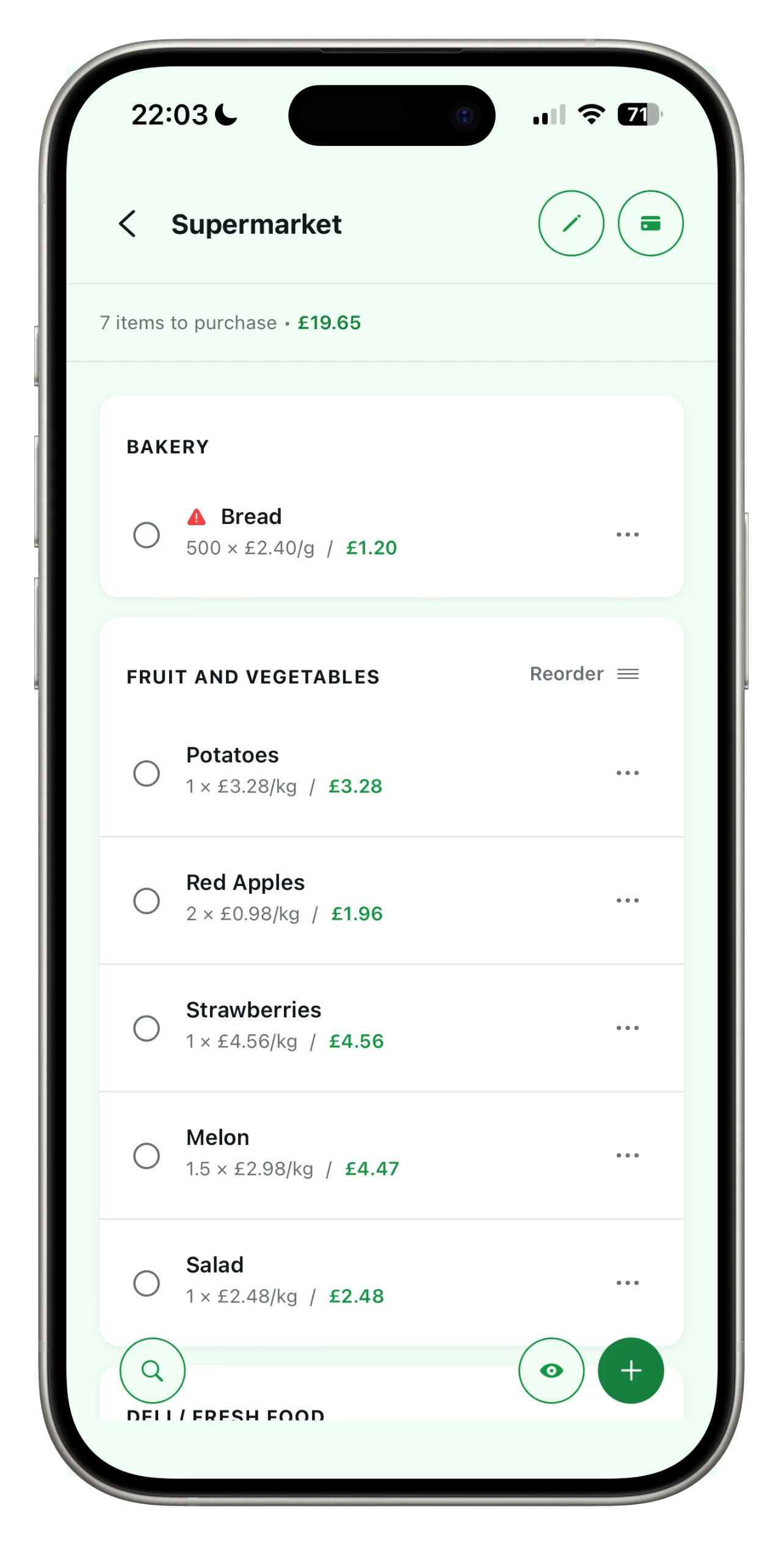
A haphazard list makes you keep going back and forth between the aisles. A list organized by section follows the natural flow of the supermarket: produce, bakery, refrigerated section, and household goods. Here’s how to make the most of it.
Assign a section
When you add or edit an item, you can assign it to a department: produce, bakery, meat, aisle 1. Items are grouped under their respective sections.
Reorder the departments to match your supermarket’s layout
Every store has a different layout. Drag the sections into the order in which you actually encounter them: that way, the list follows your path, from the entrance to the checkout.
Next guide
Add your loyalty cards
Your next shopping trip,
as simple as it gets.
Spesary is free. Try it in two minutes, keep it if you need it. The rest is up to you.